 |


|
#222
 10-20-2008, 07:45 AM
|
|||
|
|||
|
Quote:
you can find the .iso on interenet (you know where) here is a nice .pdf guide http://manuals.info.apple.com/en/Leo...tall-Setup.pdf i hope this helps Leopard 10.5.2 - AMD Athlon X2 5600+ @ 3.01Ghz - 4Gb DDR2 800Mhz - ATi Radeon HD3870 512Mb GDDR4 - 2 SATA HDD 80Gb + 320Gb. |

|
#223
10-20-2008, 01:33 PM
|
||||
|
||||
|
Whilst great at the time, I wouldn't use Zeph's distro now (the one riangeli suggested ^). I recommend you use LawlessPPC or Leo4All for AMD since they have much better driver support and fewer bugs.
Mac OS X 10.6.4 Retail || Intel Core2 Duo E8200 2.66GHz || Gigabyte G31M-ES2L || GeForce 6600 GT 128MB || Realtek ALC883 Audio || Realtek RTL8169 LAN || Samsung SpinPoint F1 1TB HD || Sony Dual Layer IDE DVD RW DW-D22A || Apple Aluminium Keyboard || Mighty Mouse MacBook Pro || 2.4Ghz Core 2 Duo || 200Gb HD || 2Gb Ram || NVIDIA GeForce 8600M GT iPhone 4 || 16Gb |


|
#224
10-20-2008, 04:40 PM
|
|||
|
|||
|
@nfoav8or: thank you! that did the trick!
now i have a old fujitsu siemens amilo a 1630 too, that i thought i might try it has the following specs: CPU: AMD Athlon 64 3400+ AUDIO: Realtek AC97 - ALC655 CHIPSET: SIS 755 + SIS SB 963L GRAPHICS: ATI MOBILITY RADEON 9700 ETHERNET: SiS 900 Fast Ethernet WIRELESS: Broadcom Wireless LAN 802.11b / 802.11g or Gemtek WMIR-103G (RaLink) Wireless LAN 802.11b / 802.11 Will i have any luck getting this rig up and running leo? In that case, should i use leo4all? |

|
#226
10-20-2008, 07:46 PM
|
||||
|
||||
|
@SHS; Hacks don't require Boot Camp as they already have the capacity to boot Windows or *nix natively
  MacBook Pro 15" | Mac OS X 10.6 • 2 GHz Intel Core Duo • 2 GB DDR2-667 • ATI Radeon Mobility X1600 128 MB • 100 GB Serial-ATA Hackintosh | Mac OS X 10.5.6 • 3 GHz AMD Athlon 64 X2 6000+ • MSI K9N AM2 • 2 GB DDR2-667 • NVIDIA GeForce 8800 GT 512 MB • ALC888 Audio • 300 GB Serial-ATA iPhone 3G • 8 GB MacBook Pro 15" | Mac OS X 10.6 • 2 GHz Intel Core Duo • 2 GB DDR2-667 • ATI Radeon Mobility X1600 128 MB • 100 GB Serial-ATA Hackintosh | Mac OS X 10.5.6 • 3 GHz AMD Athlon 64 X2 6000+ • MSI K9N AM2 • 2 GB DDR2-667 • NVIDIA GeForce 8800 GT 512 MB • ALC888 Audio • 300 GB Serial-ATA iPhone 3G • 8 GB
|

|
#227
10-21-2008, 01:11 PM
|
|||
|
|||
|
hey guys i have just installed iDeneb v1.3 10.5.5 i didnt install any kext in the Customization window. When i tried to boot for the first time i get a grey screen with an apple logo and it doesnt pass that for like 10mins.So can anyone tell me what i should check off in the Customization window for my specs:
Motherboard: ASUS IPIBL-LB Processor: Intel Core 2 Quad Q6600 2.4GHz Chipset: Intel G33 Express RAM: 3GB Hard drive: 720 GB (2 x 360) SATA 3G (3.0 Gb/sec) Video Card: Nvidia GeForce 8500GT 256MB Sound/Audio: Realtek ALC 888S chipset Supports up to 8 audio channels any additional info can be found here: http://h10025.www1.hp.com/ewfrf/wc/d...name=c01301711 Can anyone please help me |
|
#228
10-22-2008, 05:47 AM
|
||||
|
||||
|
before you do this start the boot again except type -v in to see what the codes are actually saying when it hangs for the time.
but next time you install it, install the ALC 888 sound card drivers, install zeph's universal nvidia installer (link extracted for reason below... PM for link) and also install the Nvinject 0.2.1 drivers which can be found here (http://nvinject.free.fr/files/Latest_NVinject.0.2.1.zip) that is what i would do to start with anyway, i dont know what drivers you would need for your motherboard, you will have to look around to find out thats all i can help you with at the momentiMac ::: Mac OS X 10.6.1 ::: Intel Core2Duo 2.93GHz ::: NVIDIA Geforce GT 120 256MB ::: 4GB DDR3 RAM Milanca Project ::: Mac OS X 10.6.1 Retail ::: Vanilla Kernel ::: Intel Core2Quad Q6600 2.4GHz ::: NVIDIA GeForce 8600 GT 256MB ::: 4GB DDR2 RAM ::: GIGABYTE GA-EP35C-DS3R Last edited by nfoav8or; 10-24-2008 at 09:28 PM. Reason: edited for content. no links to non-opensource software allowed anymore. |


|
#229
10-22-2008, 08:28 AM
|
||||
|
||||
|
Good way to start Aydinz
@ kisho - since you've started another topic we'll continue this there. (I'll even point to it from here so others can follow) I'll refer back to this post for the videos drivers that Aydinz has pointed out but I'll go a little deeper into it. 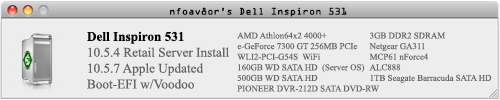 |


|
#230
10-22-2008, 09:00 PM
|
|||
|
|||
|
hello people
 Well I've tried searching google and the forums of Infinite Mac etc but I have a few questions. my computer: Hewlett-Packard HP Compaq nx6325 (EY345EA#ABU) CPU: AMD mobile Sempron 3400+ (1.8GHz  ) )Graphics card: CPU-Z says ATI radeon Xpress 200 but i'm sure it's a 1150? Hard drive: Fujitsu MHV2060BH PL ATA device Motherboard: Hewlett-Packard 30B0 KBC Version 40.15 Audio: ADI SoundMAX HD Bios: F.02 SSE3 I tried installing Leopard with a friends kalyway 10.5.2, It went well but with 7 minutes it continuely fails it just freezes at the the same time left each installation. Does anybody no why? and if there is a solution? I heard that it may be because I need an an ethernet plugged in but that doesn't work but my Broadcom wifi does. I will try to install Zephyroth's distro but which one should i use? there seems to be a rev 1 and rev 2 what's the difference ? thanks guys. I just managed to install tiger using the JaS distro, is there a way here I can keep all my driver, etc for. Leopard? 💡 Deploy cloud instances seamlessly on DigitalOcean. Free credits ($100) for InfMac readers. Last edited by alex; 10-23-2008 at 02:29 PM. Reason: more detail :) |
 Linear Mode
